AI code review for your team
Revix reviews every pull request against rules built from your codebase. It works on GitHub, Bitbucket and GitLab.
Free for 14 days, no credit card required
See a real review
This is a real Revix comment on a GitHub pull request. Each comment starts with a label, like issue or nitpick. It says what is wrong, how to fix it, and which rule it used.
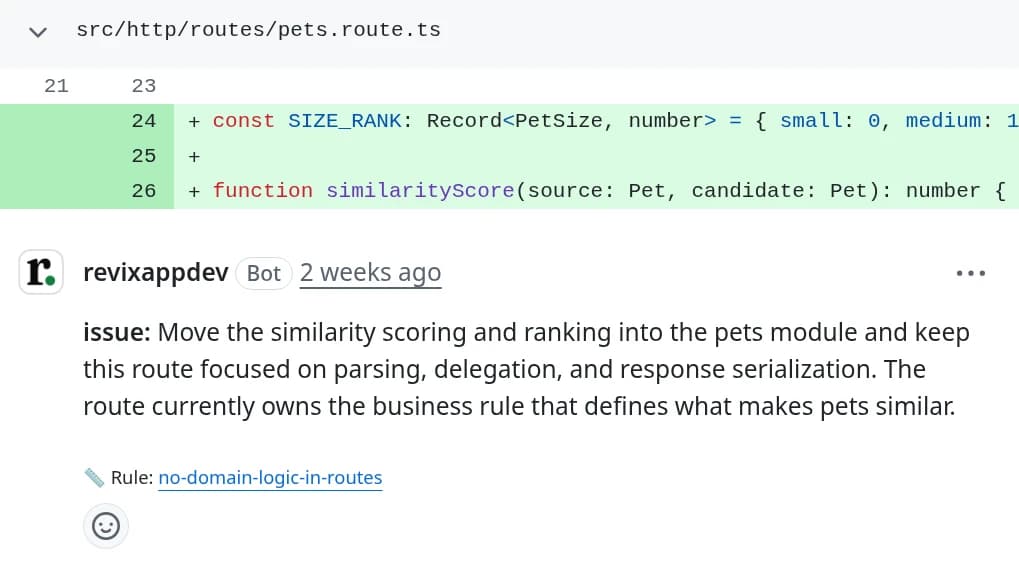
What a Revix review looks like
Revix reviews pull requests the way your team already does. It reads the whole repo as well as the diff. It works the same on GitHub, Bitbucket and GitLab. New to the topic? Read what AI code review is and how it works.
Rules built from your codebase
Revix reads your repo and finds the rules your team already follows. Then it checks every pull request against them. The rules update after every merge, and you can edit any rule.
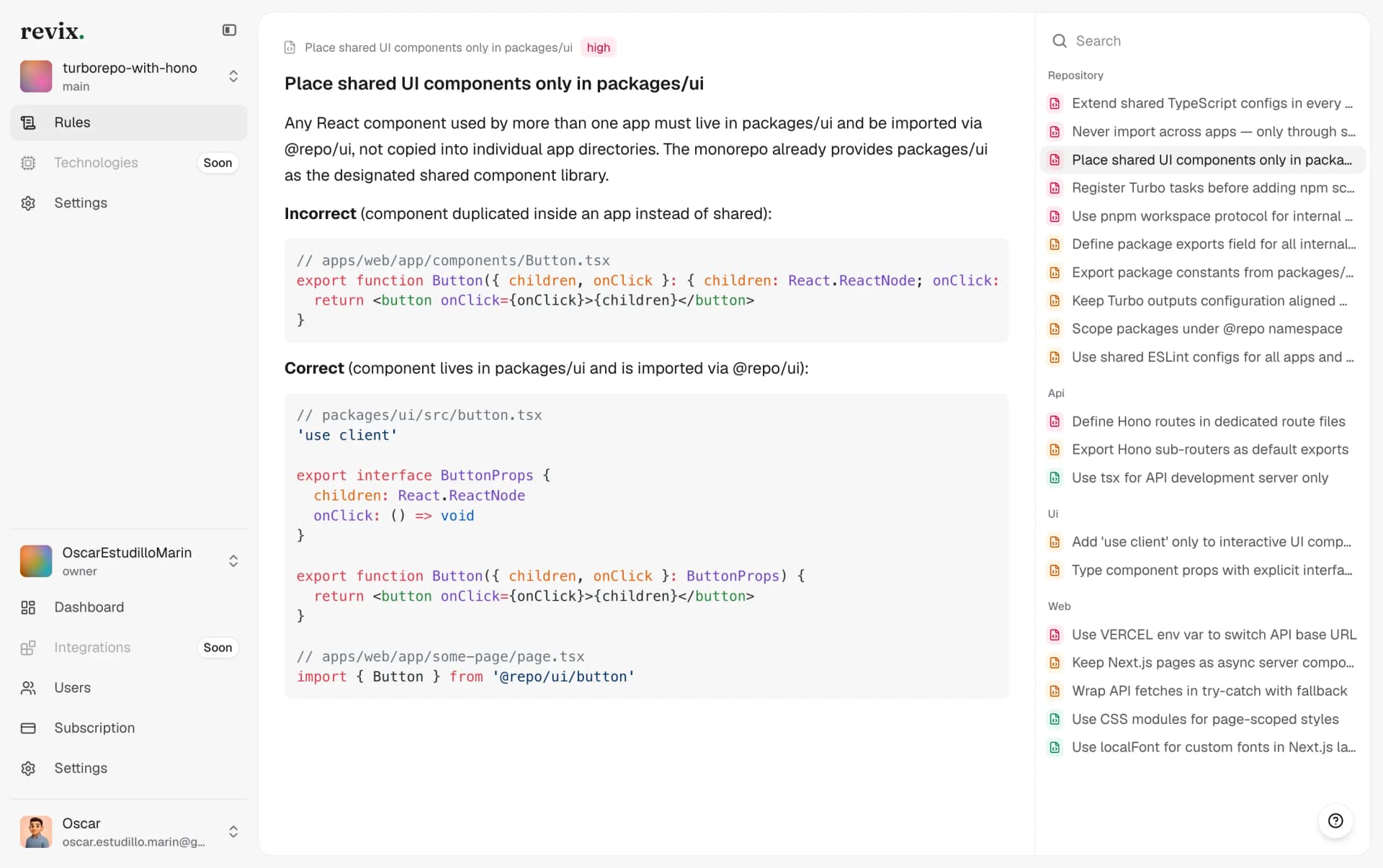
Comments labeled by type
Each comment has a label, from issue to nitpick, so authors fix what matters first. It names the problem, the fix and the rule behind it. When you push a fix, Revix resolves its own thread.
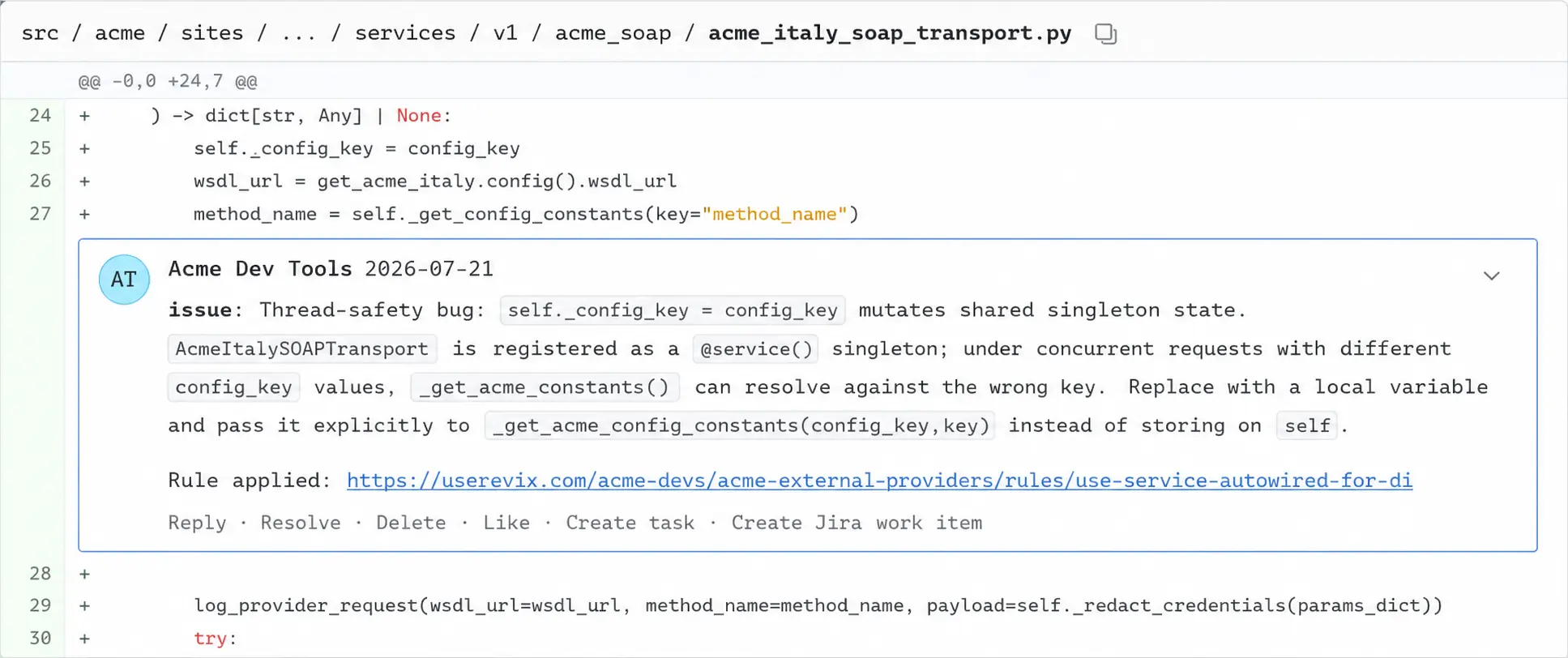
A summary on every pull request
Revix writes a short summary into the pull request. It lists what changed and marks the pull request as Has issues or Ready to merge. Reviewers know where to look before they open the diff.
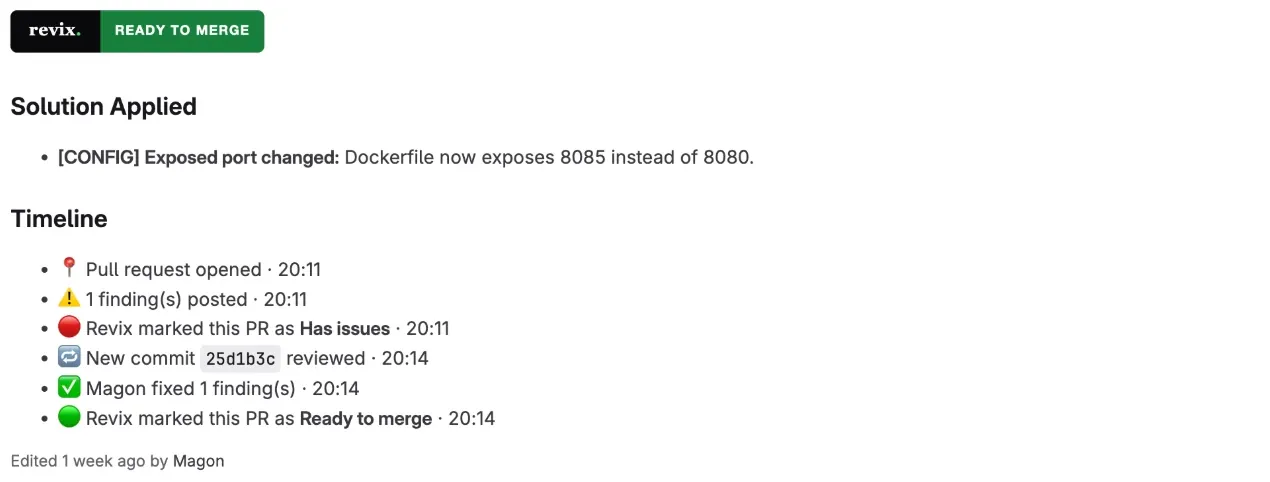
Start reviewing in a few minutes
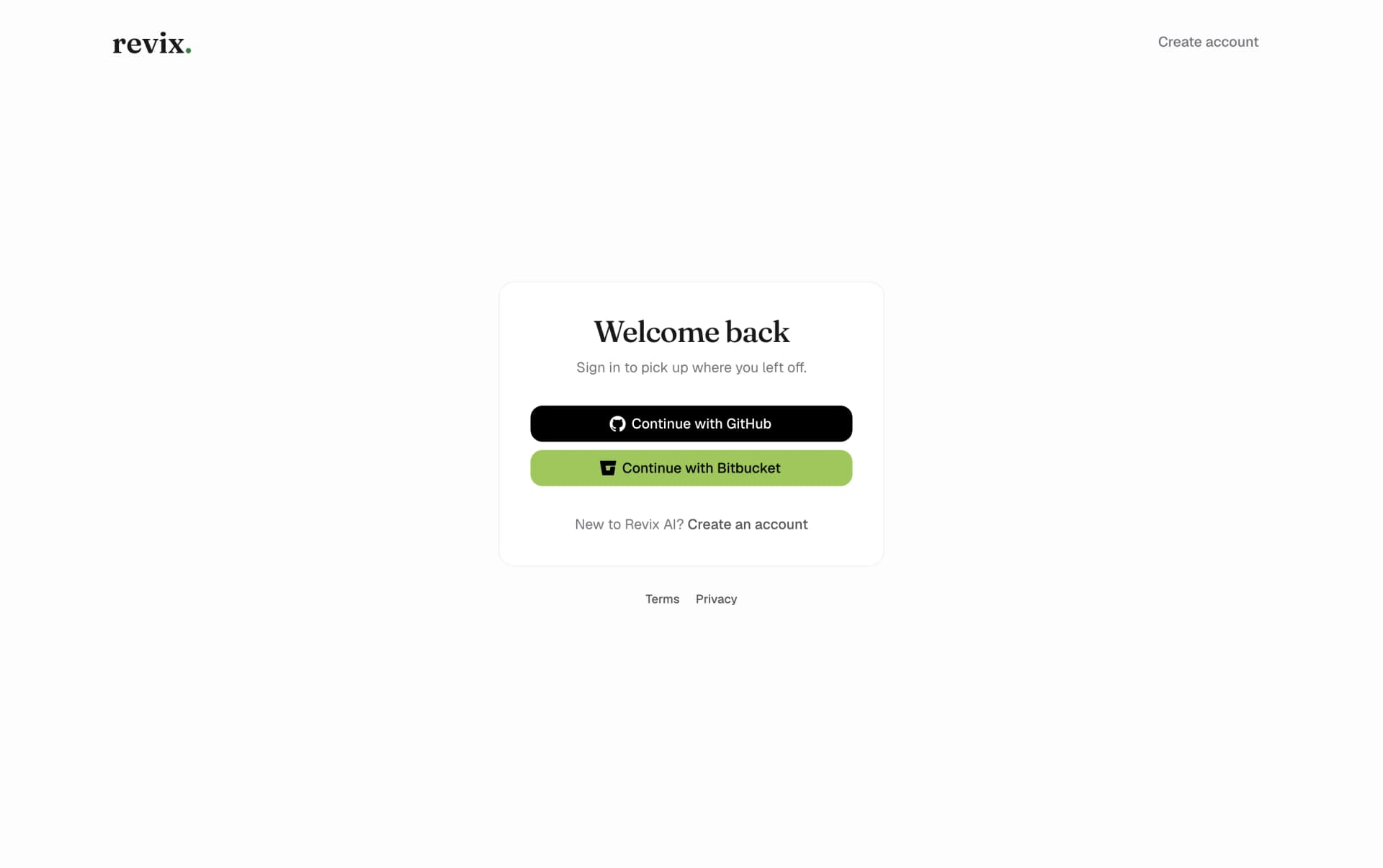
01.Sign in with GitHub, Bitbucket or GitLab
Create your account in one click with the account you already use. No new password and no API tokens.
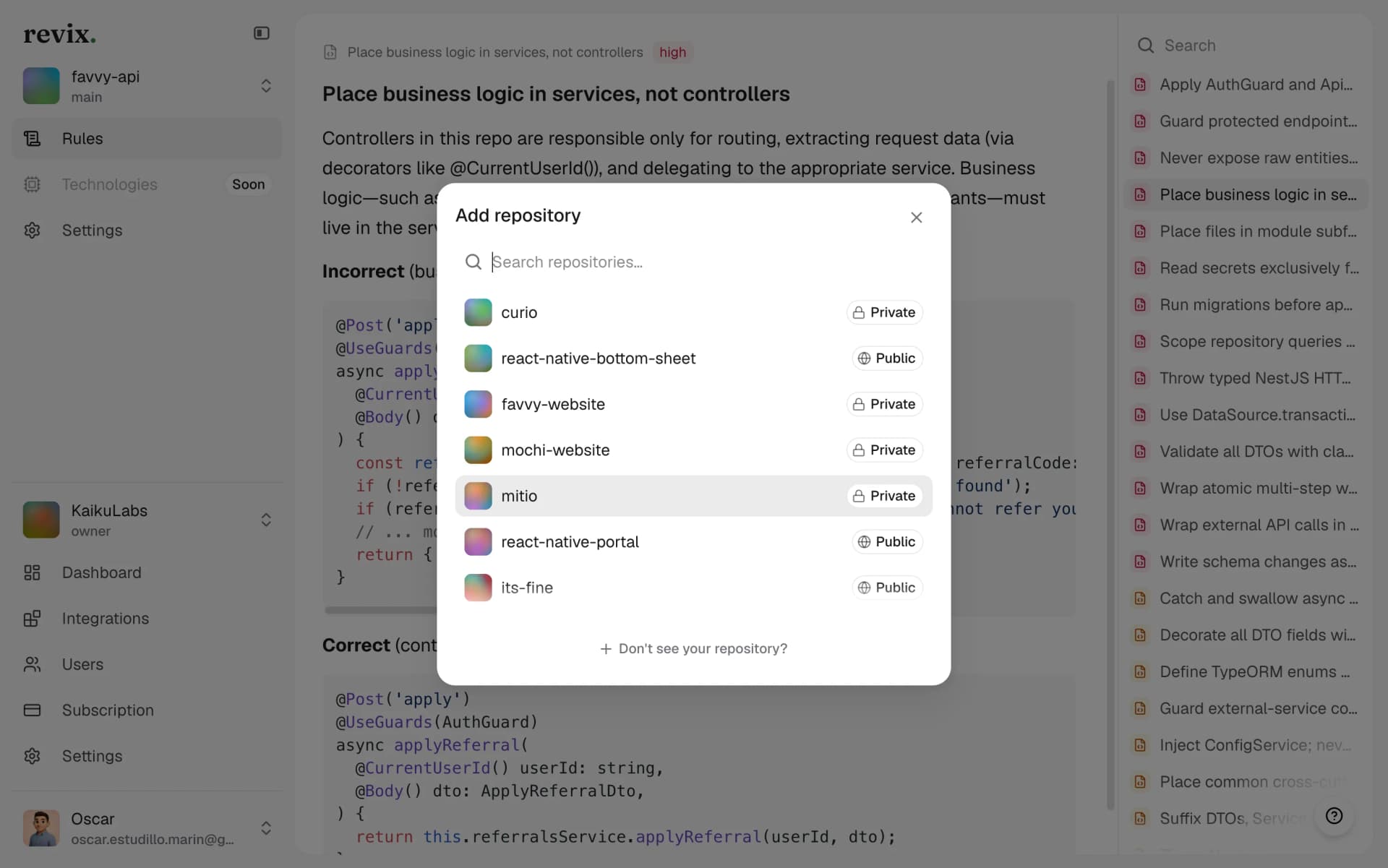
02.Pick the repos you want reviewed
Choose the repositories Revix should review. Nothing runs on repos you do not pick. A standard repo is ready in about 3 minutes.
03.Open a pull request
Revix reviews every new pull request on its own. You don't need a config file, CI minutes or extra commands.
Simple pricing, fair to every team
- Free for open source projects
- Automated PR reviews & smart descriptions
- Repository analysis & rules extraction
- Conventional comments
- Email support
Starter
Everything a team needs to review every pull request.
Per seat / month · billed annually
- Automated PR reviews & smart descriptions
- Repository analysis & rules extraction
- Stack-aware reviews
- Conventional comments
- Unlimited repositories
- Email support
Pro
More usage, integrations, and advanced features.
Per seat / month · billed annually
- Everything in Starter
- 2x the usage of Starter
- Slack integration
- Jira integration
- Expert rule supervision & suggestions
- Priority support
Enterprise
For organizations that want Revix built around how they work.
Annual contract, billed by invoice
- Everything in Pro
- Custom review volume and token limits
- SOC 2 Type II and ISO 27001 certified
- Roles and granular permissions
- Custom MSA and DPA
- Direct support from the engineering team
- Ad-hoc features built for your workflow
Questions teams ask before they buy
Bring senior-level reviews to your GitHub, Bitbucket or GitLab workflow
Start a 14-day free trial. No credit card required.
Start free trial